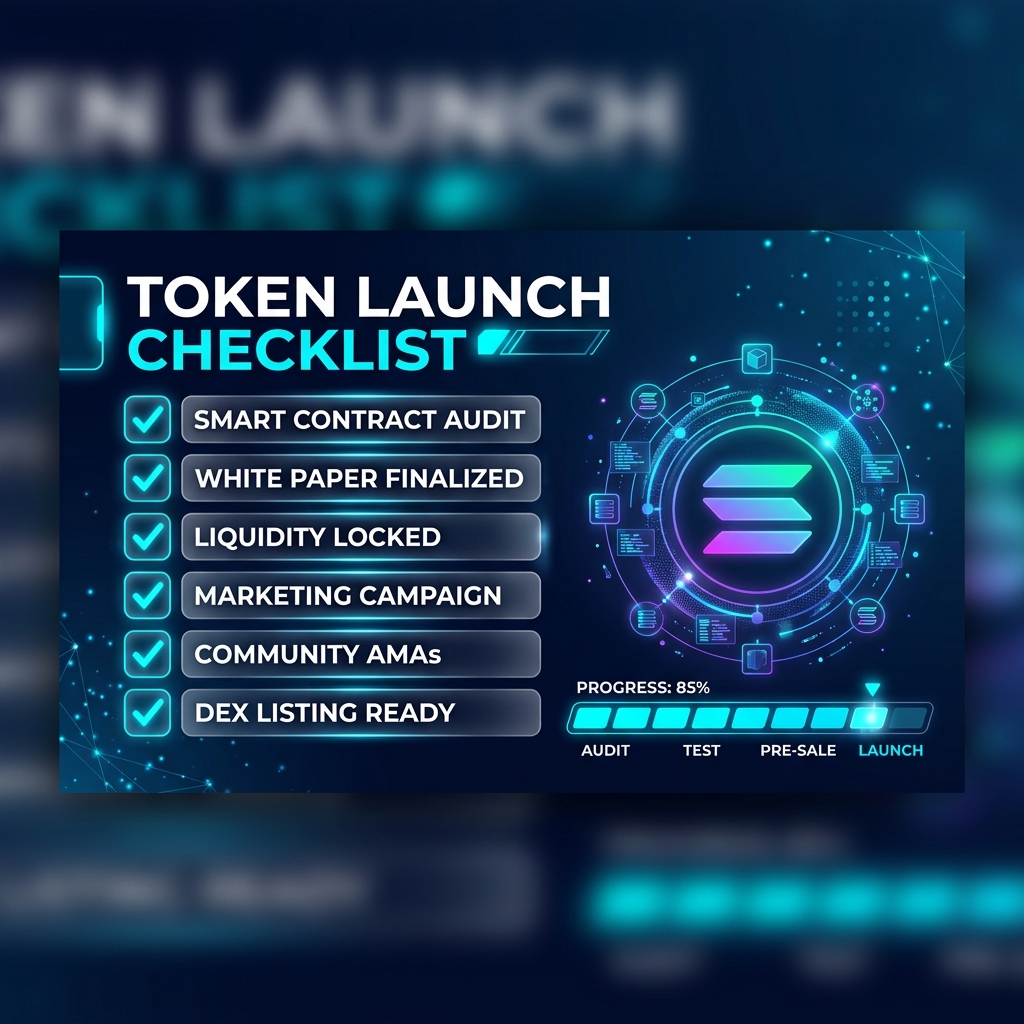
Why You Need a Checklist Before Launching
Launching a Solana token without preparation is the number one reason projects fail within 24 hours. We have seen thousands of tokens launched on-chain, and the pattern is always the same: creators rush to deploy, forget to revoke freeze authority, get flagged as a scam on RugCheck, and their liquidity pool gets zero volume because nobody trusts the contract.
This checklist eliminates every single one of those mistakes. Follow it step by step, and you will launch with the same level of professionalism as projects that paid developers thousands of dollars.
Phase 1: Preparation (Before You Touch the Blockchain)
Before you create anything on-chain, complete these preparation steps:
• Finalize Your Brand: Lock in your Token Name, Ticker Symbol (3-5 characters), and create a professional, square logo (512x512px minimum). Your logo will be permanently stored on IPFS, so make it count.
• Write Your Description: Prepare a 2-3 sentence description of your project. This appears on explorers, DEX aggregators, and wallet apps. Make it clear, exciting, and professional.
• Set Up Social Channels: Create a Twitter/X account and Telegram group for your project BEFORE launch. Post at least 5-10 tweets to establish credibility. An empty social profile is a massive red flag.
• Fund Your Wallet: You need approximately 5-10 SOL total — about 0.15 SOL for token creation and authority management, and the rest for seeding your liquidity pool. More SOL in the pool means deeper liquidity and less price slippage for buyers.
• Choose Your Tokenomics: Standard meme coin supply is 1 Billion tokens with 9 decimals. Utility tokens often use smaller supplies (1-100 Million) with 6 decimals.
Phase 2: Token Creation (60 Seconds)
Now it is time to deploy your token on-chain.
1. Navigate to [MinTools Token Creator](/create-token)
2. Connect your Phantom, Solflare, or Backpack wallet
3. Enter your Token Name and Symbol
4. Set Total Supply and Decimals
5. Upload your logo image
6. Add your Twitter, Telegram, and Website URLs in the social fields
7. Review the summary and click "Create Token"
8. Approve the transaction in your wallet
Within 10 seconds, your token is live on the Solana blockchain. Copy and save the Mint Address — you will need it for every subsequent step.
Phase 3: Security Hardening (2 Minutes)
This phase is non-negotiable. Skip it and your token will be flagged as dangerous on every security scanner.
Step 1: Revoke Freeze Authority
Go to [Revoke Authority](/revoke-authority), select your token, and revoke Freeze Authority. This is mandatory — Raydium will reject your pool creation if freeze is still active. Cost: ~0.01 SOL.
Step 2: Revoke Mint Authority (Recommended)
On the same page, revoke Mint Authority to cap your supply forever. This proves to investors you cannot inflate the token. Cost: ~0.01 SOL.
Step 3: Verify Your Security Score
Paste your mint address into the [MinTools Token Scanner](/scanner) to confirm your token passes all security checks. Screenshot the result — you will share this on social media to build trust.
Phase 4: Liquidity Pool Creation (3 Minutes)
Time to make your token tradeable.
1. Go to [Create Liquidity Pool](/create-liquidity)
2. Select your token from the token picker
3. Choose the 0.25% fee tier (recommended for most projects)
4. Enter the amount of your token and SOL to deposit
5. Review the initial price calculation and click "Create Pool"
6. Approve the transaction
Your token is now live on Raydium and will automatically appear on Jupiter Aggregator and DexScreener within minutes!
Pro Tip: The initial price is determined by the ratio of tokens to SOL you deposit. For example: 500,000,000 tokens + 5 SOL = starting price of 0.00000001 SOL per token.
Phase 5: Lock or Burn LP Tokens (1 Minute)
This is the step that separates trusted projects from scams.
When you created the liquidity pool, you received LP (Liquidity Provider) tokens in your wallet. These LP tokens represent your ownership of the pool. If you keep them, you can withdraw all the SOL from the pool at any time — this is literally how rug pulls work.
To prove your project is legitimate:
1. Go to [Burn & Lock LP](/burn-lp)
2. Select your LP token from the picker
3. Click "MAX" to burn 100% of your LP tokens
4. Approve the transaction
Once burned, the liquidity is permanently locked in the pool forever. Security scanners will show "100% LP Burned" — the gold standard of trust in the meme coin world.
After completing this step, save the burn transaction hash from Solscan. Share it on your socials as proof.
Phase 6: Post-Launch Marketing
Your token is live, secure, and tradeable. Now drive traffic:
• Tweet your launch with the contract address, security scanner screenshot, and DexScreener link
• Pin a welcome message in your Telegram group with tokenomics and the buy link
• Airdrop tokens to 100-500 crypto influencers using the [Multi-Sender](/multi-sender) tool
• Submit your token to CoinGecko and CoinMarketCap listing forms
• Engage with your community daily — respond to every message in the first 48 hours
The first 24-48 hours after launch are critical. This is when momentum builds or dies. Stay active, stay transparent, and keep sharing your security audit results.
Frequently Asked Questions
Q: How long does the entire launch process take?
A: If you have your branding and socials prepared in advance, the on-chain process (token creation, authority revocation, pool creation, and LP burning) takes approximately 10 minutes total.
Q: What is the minimum SOL I need for a complete launch?
A: You need roughly 0.2 SOL for creation and security management, plus whatever SOL you want to seed as initial liquidity. We recommend a minimum of 3-5 SOL in the pool for decent trading depth. Total minimum budget: approximately 4-6 SOL.
Q: Can I update my token metadata after launching?
A: Yes, as long as you have not revoked Update Authority. You can edit your name, logo, description, and social links at any time using the Update Metadata tool. We recommend keeping Update Authority active until your branding is finalized.
Q: What happens if I skip the LP burn step?
A: Your token will work fine technically, but security scanners will flag it as a rug-pull risk. Most experienced crypto buyers check LP burn status before purchasing. Skipping this step will significantly reduce your trading volume and community trust.
Ready to get started?
Launch the official tool directly from your browser with MinTools.
Start Your Launch